LaTeX & BibTeX Tools Get the app
Version 7 · Coming soon

Messy LaTeX in.
Submission-ready out.

A native Mac toolkit for the chores around a paper: put figures in order, tidy the bibliography, count the words, and check the whole project before the journal does.

Download on the App Store macOS 14 or later · One-time Premium purchase

Version 7 is awaiting App Store review. See what’s new →
The App Store currently offers the previous release.

Five tools in version 7.
One tidy window.

Choose a manuscript or bibliography for the tool you need. Options and actions sit on the right; your result fills the rest.

New in version 7

Bibliography Health Check

Catch duplicate citation keys, possible duplicate references, missing common fields, and DOI format issues before submission.

Expand an issue to read the original reference, or compare the entries involved together, with authors, title, year, publication details, and source locations. No need to open another file.

Open .bib, .bbl, or .tex. Checks and reference previews are free, run on your Mac, and leave your files unchanged.

Illustrative example

Same title and year. A duplicate?

Compare 2 references
Example2025

A sample study of thin films

A. Example and B. Sample
2025 · Example Journal
Volume 12, pages 1–8
DOI: not provided
references.bib · line 24
Example2025-copy

A sample study of thin films

A. Example and B. Sample
2025 · Example Journal
Volume 12, pages 1–8
DOI: not provided
references.bib · line 81
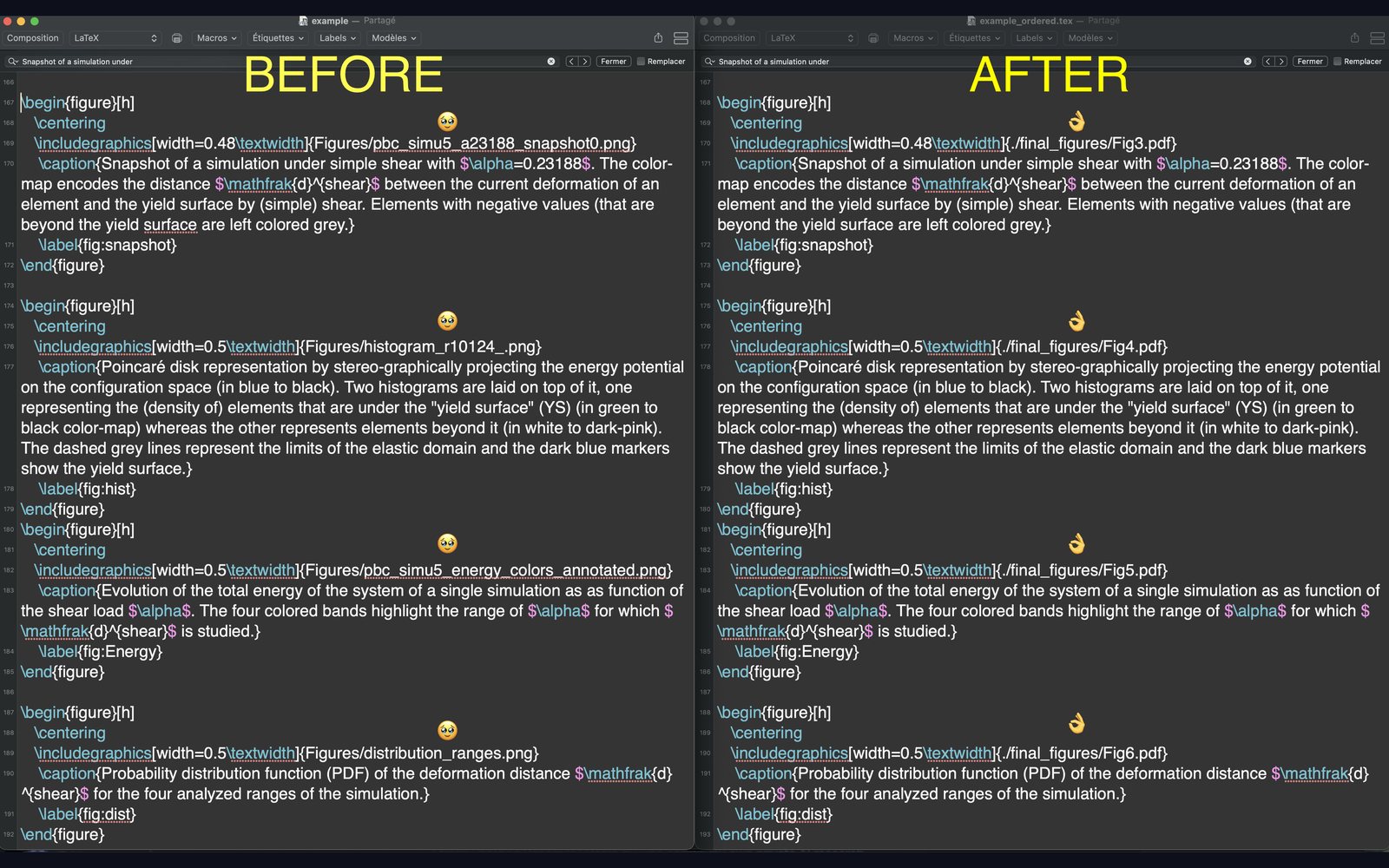
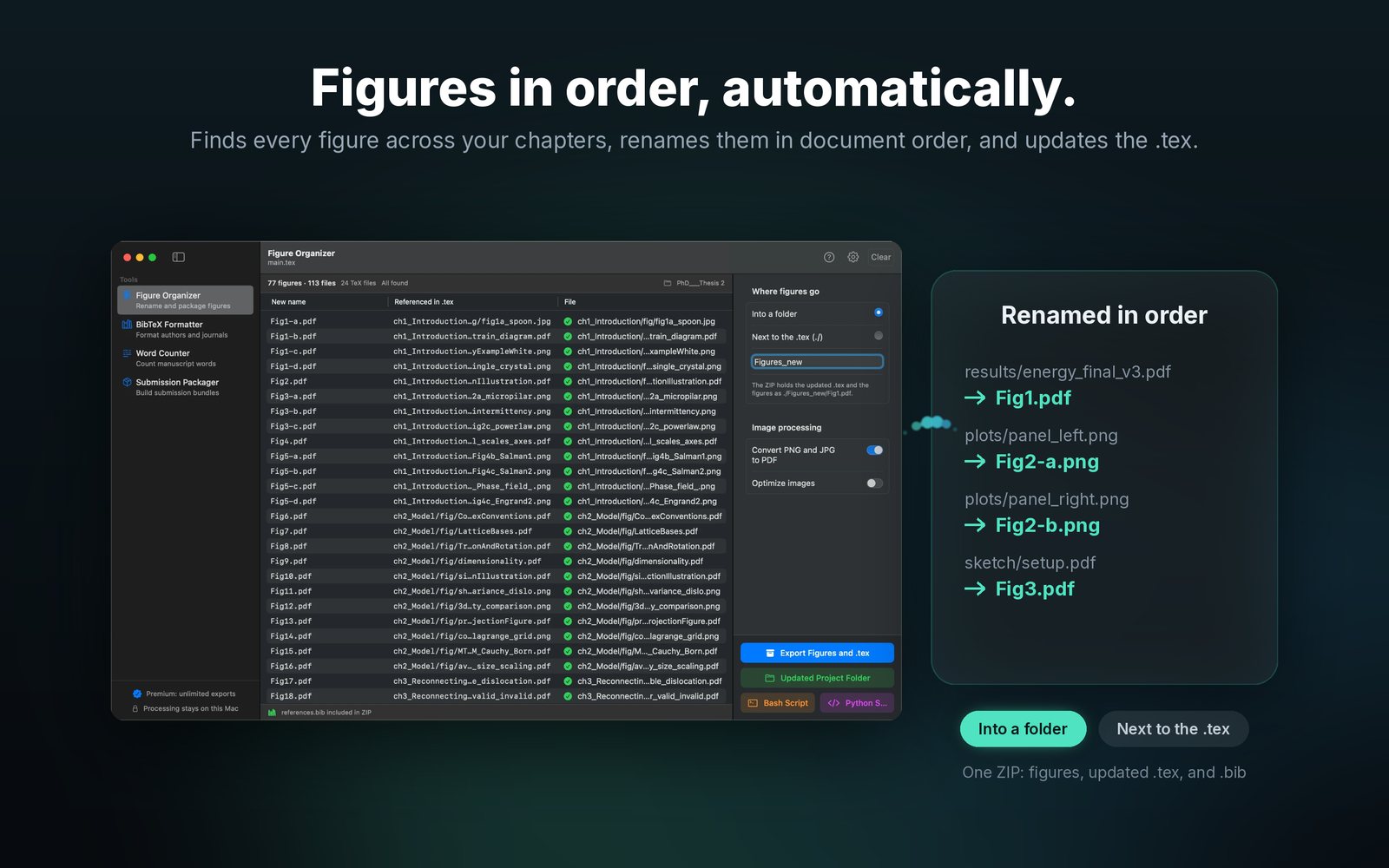
plots/energy_final_v3.pdfFig1.pdf

Figure Organizer

Finds every figure across your chapters, shows which files are found or missing, and renames them in document order: Fig1, Fig2-a, Fig2-b. Export one ZIP with the figures, the updated TeX, and your .bib.

Journal of Applied PhysicsJ. Appl. Phys.

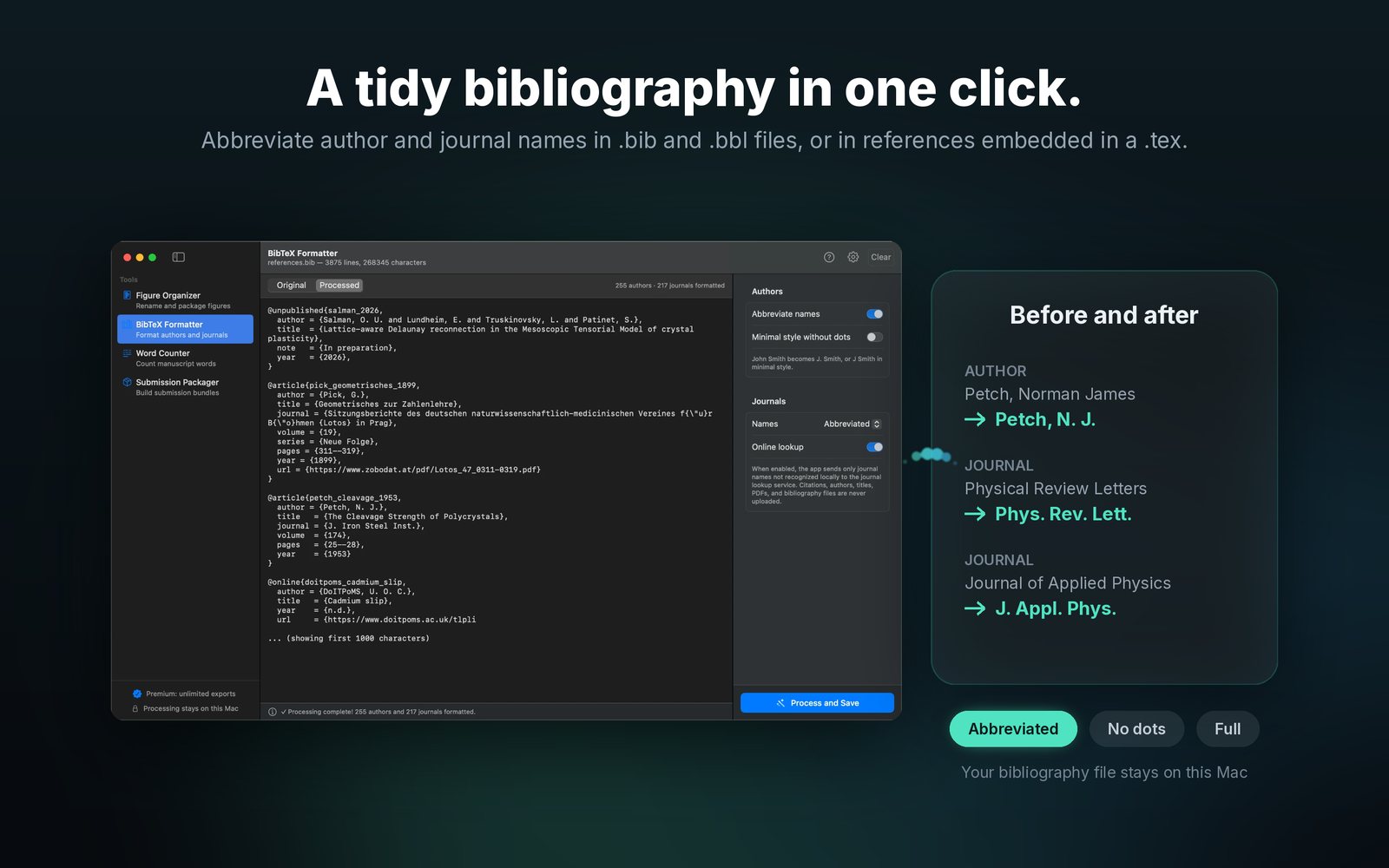
BibTeX Formatter

Abbreviate author names and journal titles, or expand them back, in .bib and .bbl files or in references embedded in a .tex. Review the saved result; Lifetime Premium also includes previews before saving.

0words

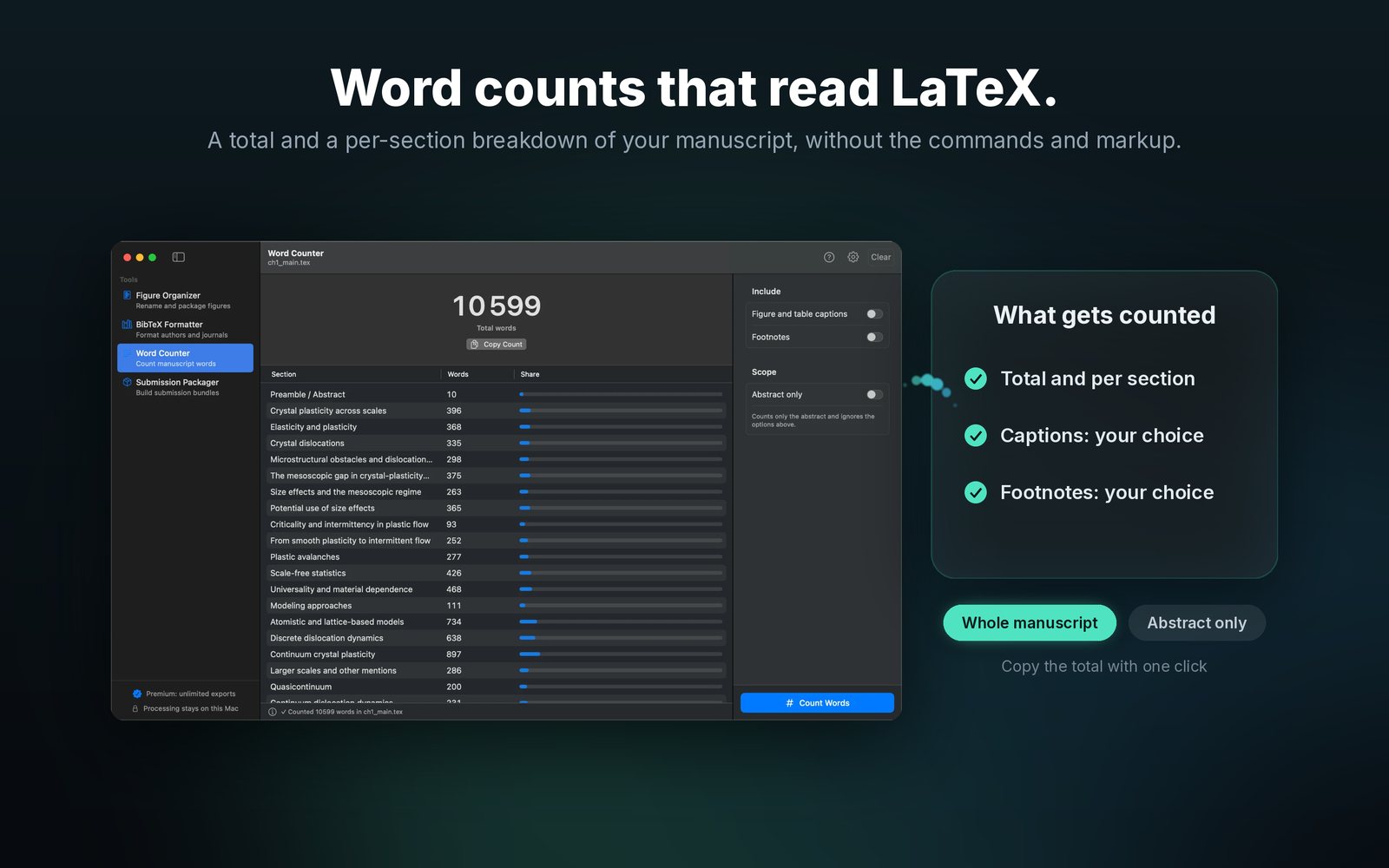
Word Counter

A total and a per-section breakdown that reads LaTeX, not markup. Choose whether captions and footnotes count, or count the abstract alone.

References resolve
Citations found
Figures present

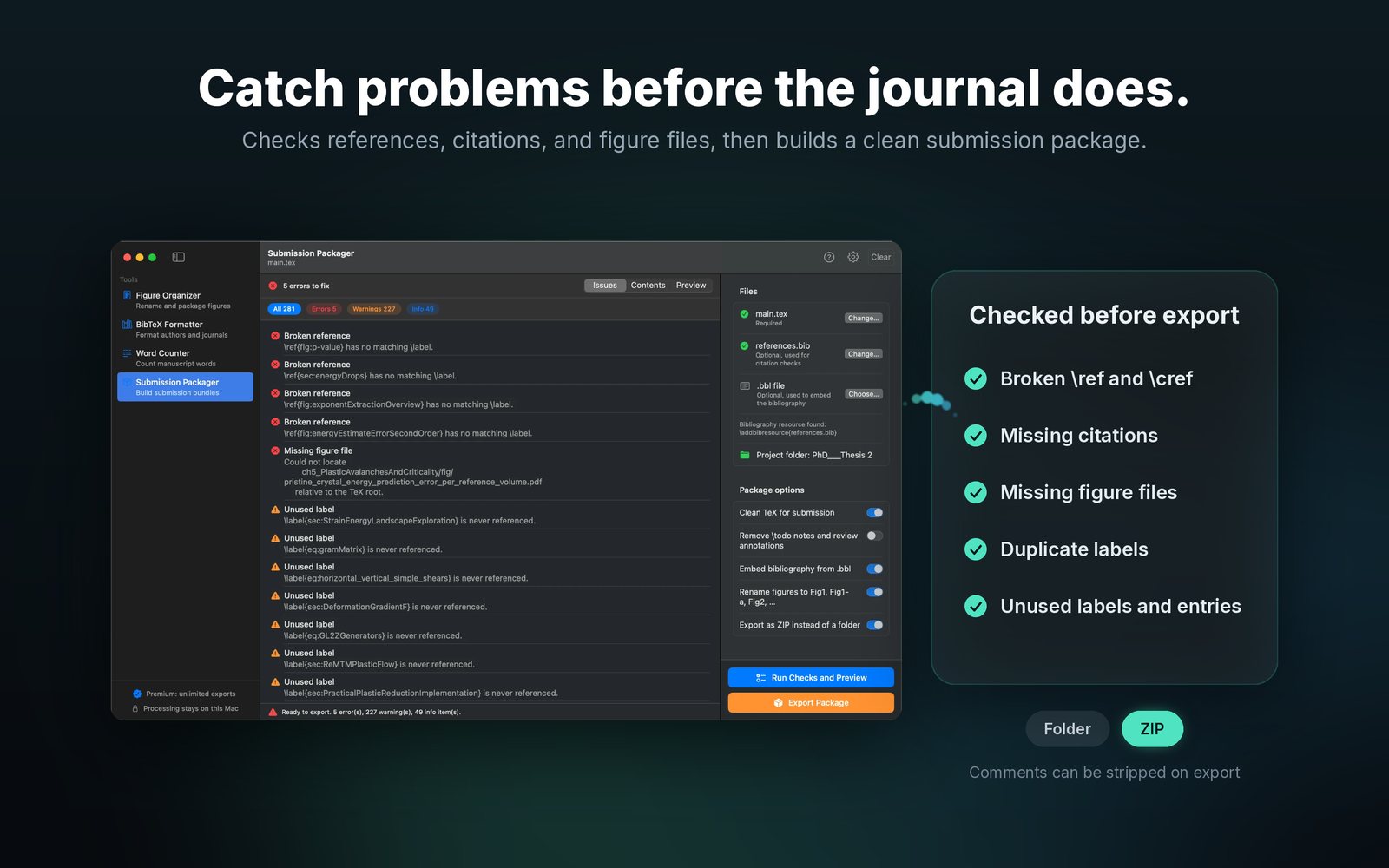
Submission Packager

Checks for broken \ref and \cite, duplicate and unused labels, and missing figure files, then builds a clean package as a folder or ZIP.

See it at work.

Click a screenshot to enlarge it.

A TeX file before and after figure paths are renamed
Figure Organizer listing figures found across a multi-file project
BibTeX Formatter showing a processed bibliography
Submission Packager listing errors and warnings
Word Counter with a per-section breakdown

Package your project in three steps.

Drop your root .tex

The app follows \input and \include, and reads \includegraphics, \bibliography, and \addbibresource to map the project. macOS asks you once for the project folder.

Review what it found

Figures are listed with their new names and where each file was found. Anything missing has a Locate button; issues in the manuscript are listed by severity.

Export and submit

Save a ZIP or folder with renamed figures and rewritten paths. Your original project is never modified.

Coming soon in version 7.

A closer look at your bibliography, with the references behind every finding. Version 7 is currently awaiting App Store review.

Spot bibliography problems

Duplicate keys, matching DOI or title and year, missing common fields, and malformed DOI values.

Inspect the references involved

Read original entries and source locations inside the app. Compare possible duplicates before deciding what to change.

Start from .bib, .bbl, or .tex

Check a bibliography directly, embedded references, or the bibliography files named by a TeX document.

Save a useful report

Export findings with the related original entries and source locations, ready for your own editing checklist.

Three successful saved exports

One shared free allowance across the tools. Cancelled saves and failed exports do not use it. Health checks, reference previews, and word counts stay free.

Existing paid purchases protected

Lifetime Premium and purchases from the original paid app period keep unlimited access. Earlier free downloads do not unlock Premium.

Your manuscript stays on your Mac.

The app processes your files locally, with no app account required. Bibliography health checks work offline; your manuscripts, references, and figures are never uploaded. The optional online journal lookup sends only journal names the app does not recognise, never citations, titles, or files. Read the privacy policy.

Questions?

Write to us

Tell us what you loaded and what you expected. A small example project helps.

ou.salman@icloud.com

Support and troubleshooting guide

Why does the app ask for my project folder?

Mac App Store apps can only read the file you open. Granting the folder lets the app read included chapters, figures, and bibliography files next to your root .tex.

Does it change my original files?

No. Every tool writes to a destination you choose. Keep working from your original project until you have checked the exported copy.

Does it work with multi-file projects?

Figure Organizer and Submission Packager follow chapters loaded with \input or \include from your root file. Bibliography Health Check reads references embedded in the selected .tex and the bibliography files it names; it does not follow included chapters.

What can version 7 check in .tex and .bbl files?

Open a .tex with embedded references or linked .bib files, or check a .bbl directly. The app supports traditional BibTeX and BibLaTeX/Biber bibliography output. Compiled bibliographies contain less information, so the app explains which checks are limited. For missing common fields, use the original .bib. DOI checks validate format, not whether a DOI exists online.

What is free in version 7?

Bibliography health checks, reference previews, and Word Counter remain free. You also get three successful saved exports, shared across the tools; saving a health report counts as one export. Cancelled saves and failed exports do not count. A one-time Lifetime Premium purchase unlocks unlimited saved exports and previews of processed output before saving, with no subscription.

Will my previous purchase still work?

Yes. Lifetime Premium buyers and verified owners from the original paid app period keep unlimited access. Use Restore in the Premium window with the Apple Account used for your purchase. Earlier free downloads do not automatically qualify for Premium.