GhostTeX turns scientific papers and handwritten notes into clean, editable LaTeX — then compiles it to a finished PDF, all on your Mac. Your documents and AI output never leave your device.
$9.99/year · 3-day free trial · macOS 13+ · Apple Silicon required
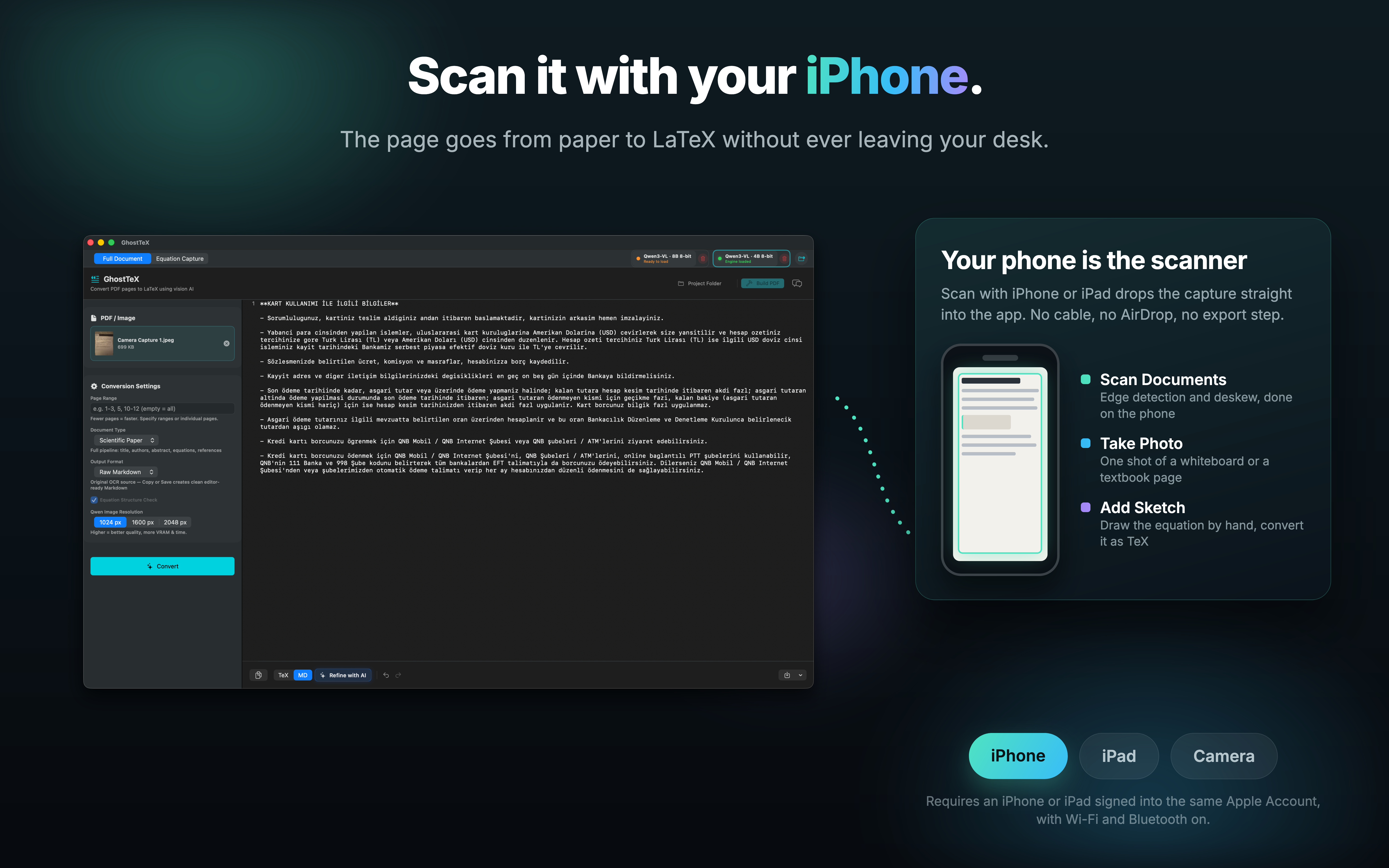
New 📱 Scan straight from your iPhone & iPad — Continuity Camera has arrivedEvery screen below is the real app — converting, capturing, and refining LaTeX entirely on-device.
Converting scanned papers, old journal articles, or handwritten notes into editable LaTeX — without uploading unpublished work to a cloud server.
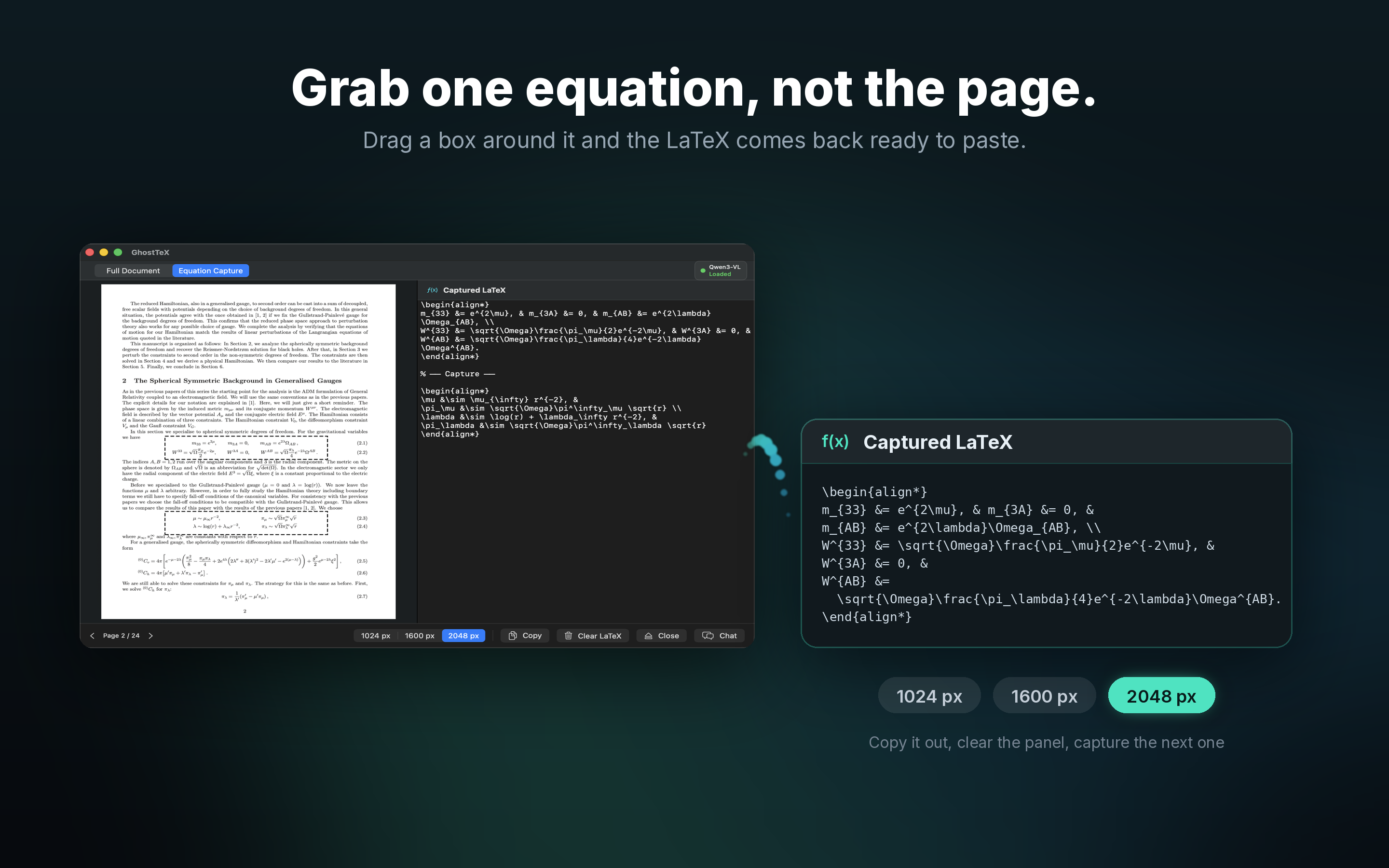
Transcribing textbook equations, lecture slides, and problem sets into LaTeX. One crop, one equation — done in seconds.
Digitising legacy scientific documents and journal archives that only exist as scanned PDFs.
Resubmitting to journals that require LaTeX source when you only have the final PDF. Reconstruct the full document without retyping a single equation.
The privacy angle alone matters: unpublished research stays on your machine. No API key. Start with 10 free AI credits; editing, compiling, saving, and exporting stay free.
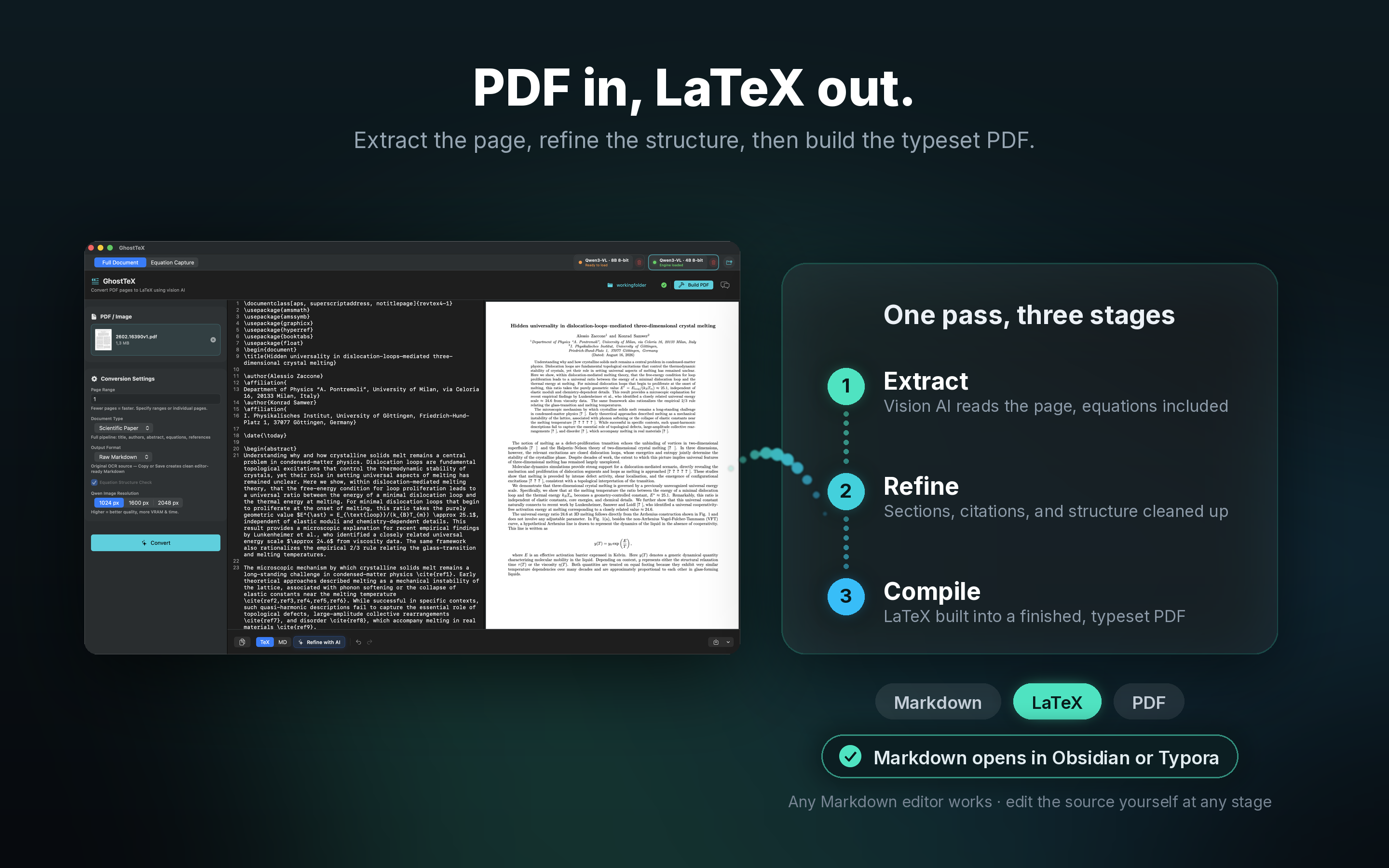
From PDFs, scans, or handwritten notes to a clean, editable LaTeX document — with AI assistance at every step.
Powered by Qwen3-VL, a state-of-the-art vision-language model. Accurately recognises complex equations, tables, and multi-column layouts that traditional OCR misses entirely.
Qwen3-VL reads 32 languages — English, Turkish, German, French, Spanish, Chinese, Japanese, Korean, and more — and stays robust in low light, blur, and tilt. Scan a document in almost any language and get clean LaTeX back.
Pick your engine per document: the Qwen3-VL 8B model for maximum accuracy on handwriting, slides, and dense mixed layouts, or the lighter 4B model for faster extraction on straightforward pages. Switch anytime from the top bar — both run fully on-device.
A bundled Tectonic engine compiles your LaTeX into a finished PDF with one click — previewed instantly inside the app. No MacTeX, no terminal, no cloud. If a build fails, select the region and let the AI fix it. It's a real AI-powered LaTeX editor, not just an OCR export.
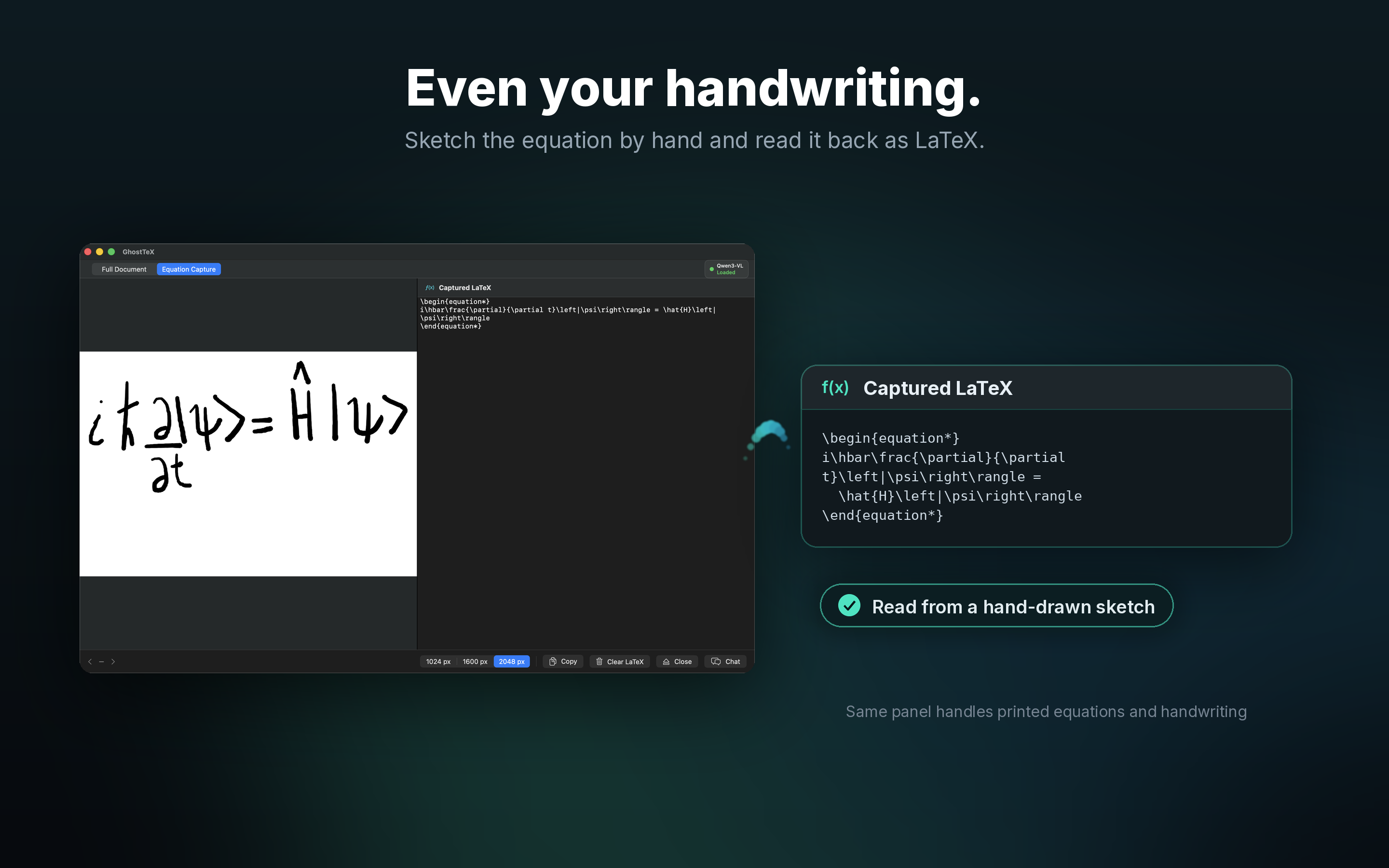
Drop in a photo or scan of handwritten notes — equations, derivations, lecture notes — and GhostTeX transcribes them into valid LaTeX. Works with PNG and JPEG images.
The generated LaTeX is fully editable right inside the app. Full undo/redo support — make quick fixes without switching to an external editor.
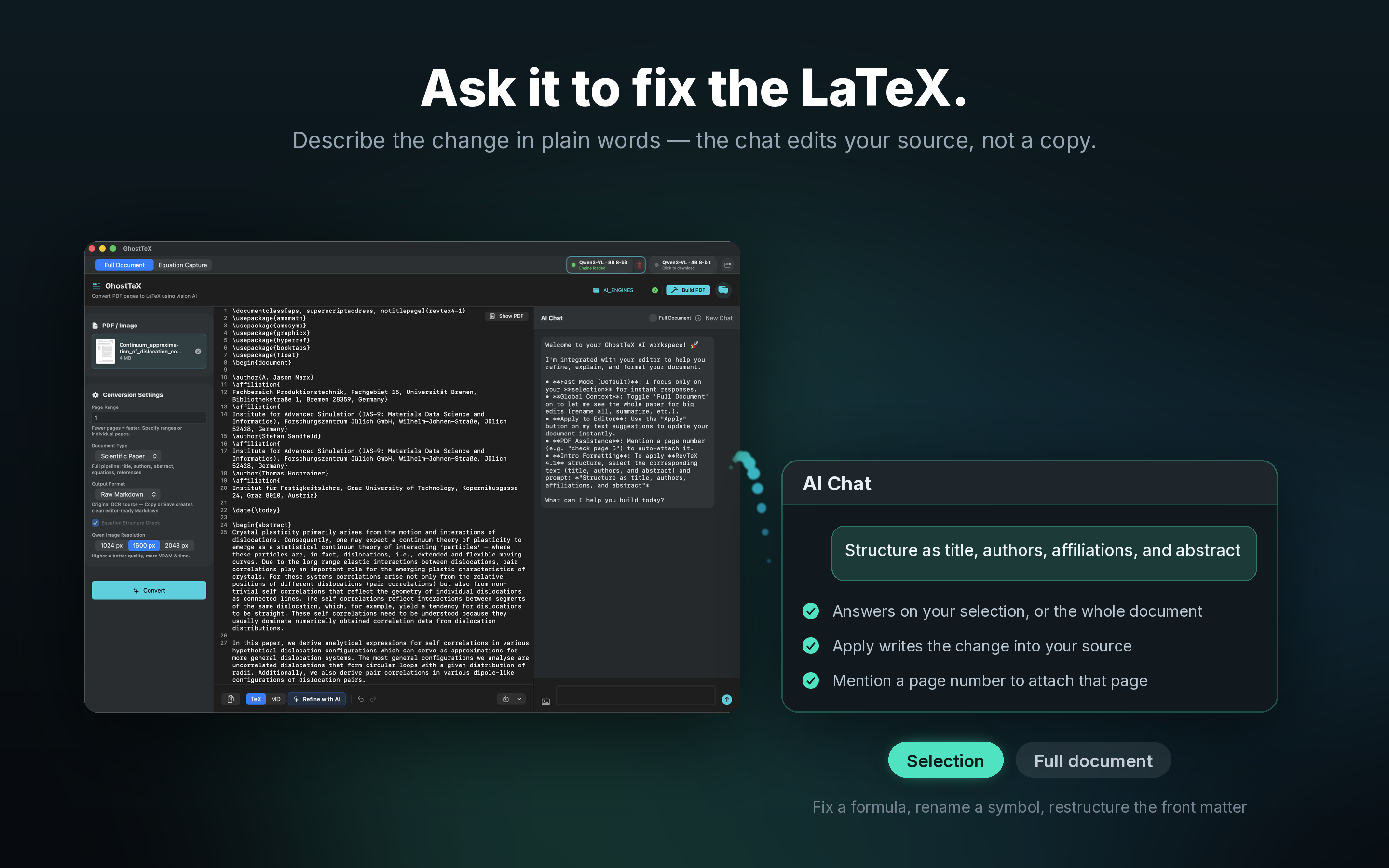
Highlight an equation in the editor and ask the AI assistant to split it into multiple lines, convert to an align* environment, fix a misread symbol, add labels, or simplify notation. You can also ask it to explain what an equation means. The chat sees your full LaTeX context and the original page image — so its corrections are precise, not generic.
Heuristic equation validator automatically flags common LaTeX math errors — missing delimiters, unclosed environments, unbalanced braces — before you compile.
Processes entire papers page by page with smooth streaming output. Handles research papers, theses, and technical reports of any length.
Save the result as a .tex file with one click, or copy straight to your clipboard. Compatible with Overleaf, TeXShop, and any LaTeX editor.
Handles single-column papers, double-column journals, academic posters, slides, and mixed-layout documents. The vision model understands page structure, not just text.
Need Markdown instead of LaTeX? GhostTeX can output .md with inline math — ready for Obsidian, Notion, Quarto, or any Markdown-based workflow.
Four steps, all on your Mac — nothing ever leaves your device.
Open a scientific paper, a scanned document, or a photo of handwritten notes (PNG/JPEG). GhostTeX prepares each page or image at high resolution for the AI model.
Qwen3-VL runs entirely on your Mac — no internet required. Watch the LaTeX stream live as each page is processed, equations and all.
Tweak the output directly, or highlight any equation and ask the AI chat to split, reformat, or fix it. Run the equation checker to catch errors before you compile.
Hit Build PDF and the embedded Tectonic engine compiles your LaTeX into a finished, typeset PDF — previewed right inside the app. Or export the .tex / .md for Overleaf, TeXShop, Obsidian, and more.
GhostTeX runs the AI model locally using Apple's Metal GPU acceleration via the MLX framework. Your documents never leave your device — not even for a millisecond.
No account and no tracking. A pseudonymous App Store identifier and credit counts are used only to enforce the 10-credit free allowance; document content is never sent.
Yes. GhostTeX is a native Mac app that converts scientific PDFs and handwritten equations into editable LaTeX using on-device AI.
No. GhostTeX runs the AI model locally on Apple Silicon, so PDFs, scans, and handwritten notes stay on your Mac.
Yes. GhostTeX includes a built-in Tectonic engine, so you can build your .tex into a finished PDF and preview it instantly — no MacTeX or external LaTeX installation required.
GhostTeX ships with two on-device models: the precise Qwen3-VL 8B (default, best for handwriting and complex layouts) and a lighter 4B model that extracts faster on straightforward documents. Switch between them anytime.
Yes. The Qwen3-VL model supports OCR in 32 languages — including Turkish, German, French, Spanish, Chinese, Japanese, and Korean — so a scan in almost any language converts to LaTeX just as cleanly as English.
Apple Silicon
(M1 or later)
macOS 13 Ventura+
16 GB minimum
32 GB recommended
for best performance
PDF (multi-page)
PNG · JPEG
(photos & scans)
~8–10 GB per model
8B precise or 4B fast
(downloaded on first run)
~15–20 tok/s on M1 Pro
~40–55 tok/s on M2 Max
~55–75 tok/s on M4 Max
Intel Macs are not supported — the MLX framework requires Apple Silicon.
3-day free trial. Now available on the Mac App Store.